Manage Fire Protection Reports. Without Excel Chaos.
TeamDT was built for engineering firms that create fire protection concepts, inspections, and reports. From inquiry to invoice. All in one place.
Project types you can manage with TeamDT:
Daily Challenges
Sound Familiar?
- Endless Excel Spreadsheets
- "Project_List_2024_FINAL_new_v3.xlsx". And still someone asks every day: "Is this the latest version?"
- Lost Customer Inquiries
- Mr. Miller's request? Came by email. Or was it a phone call? Three weeks later he calls. And you're searching.
- Property Data Scattered Everywhere
- Address in Excel. Photos on the server. Cadastral data in the "New" folder. And the notes from the site visit? Good question.
- When Someone Gets Sick
- Everyone organizes projects differently. When a colleague is out, you spend half the day searching instead of working.
- Every Building is Different
- Existing buildings, new constructions, special structures. Every project has unique requirements. And the documentation is scattered everywhere.
- Recurring Inspections
- Many buildings need regular inspections. When was the last one? When is the next due? Excel tends to forget.
The Solution
How TeamDT Helps Fire Protection Engineers
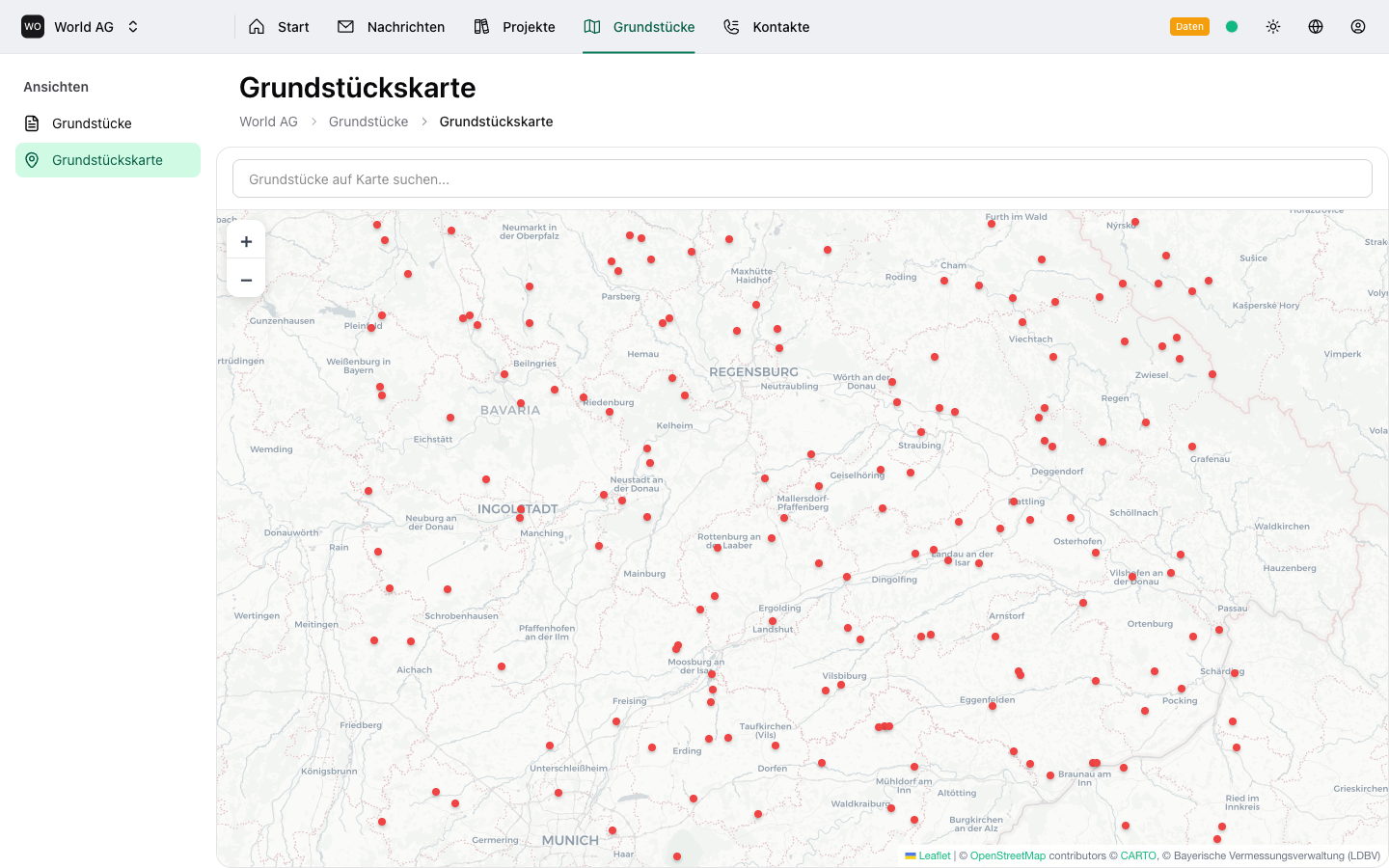
Centralized Property Management
Every building with address, photos, plans, and all related reports in one place.
- Interactive map with all property locations
- Automatic address geocoding
- Photos and documents attached to properties
- History of all projects per building
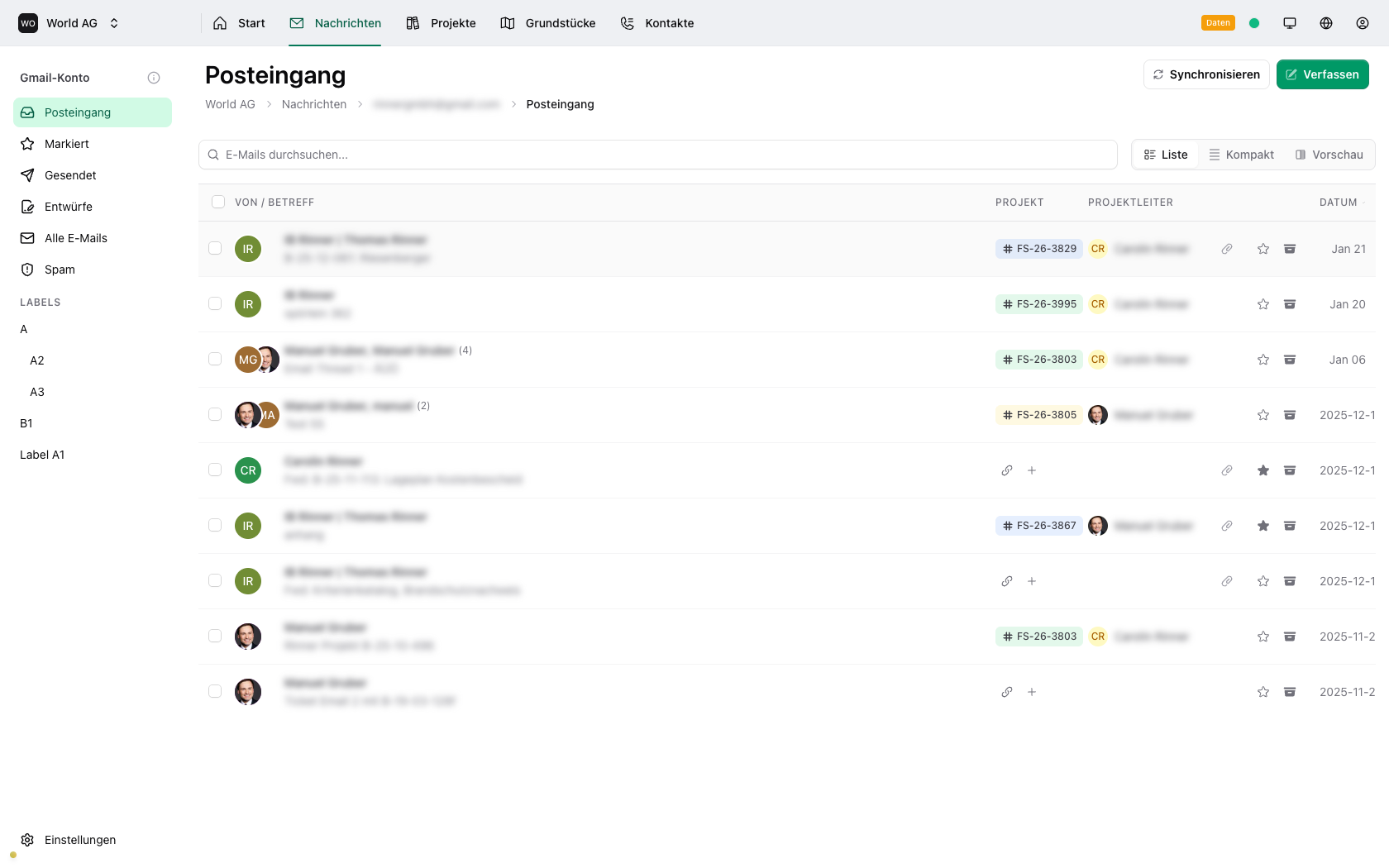
Emails Become Part of the Project
Correspondence with authorities, fire departments, and architects. All in project context, not buried in your inbox.
- Gmail directly integrated into TeamDT
- Link emails to projects with one click
- Complete communication history
- Up to 100 email accounts per office
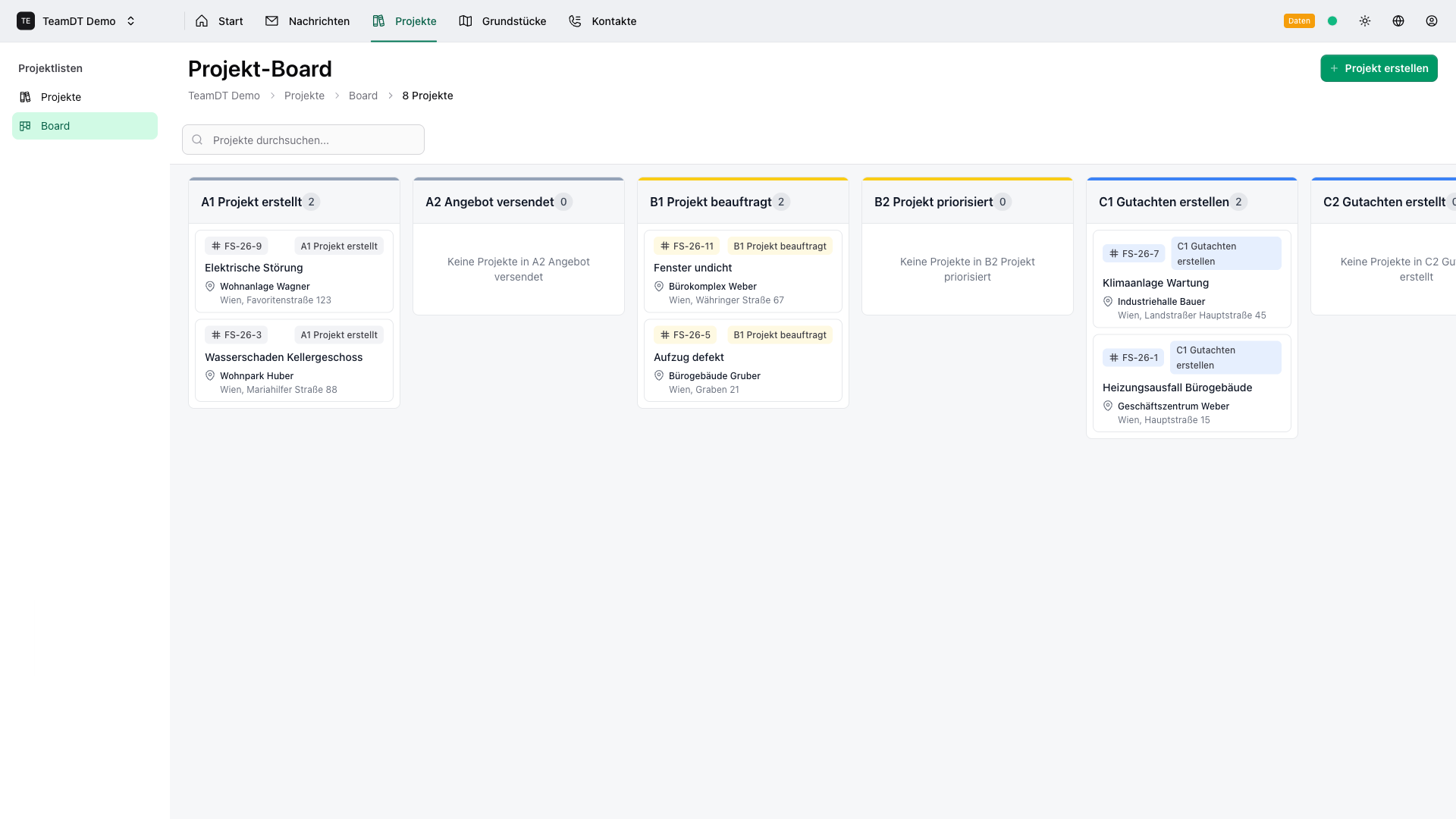
Clear Project Status
From inquiry through inspection to billing. Always know where each report stands.
- 6 status columns: Requested → Accepted → In Progress → In Review → Sent → Invoiced
- Drag & drop for quick updates
- Week view for scheduling
- Instantly see what needs to go out this week
The Workflow
Your Fire Protection Report Workflow
Every project follows a clear process: from inquiry to invoice.
Inquiry Received
Client or architect requests fire protection concept. Email becomes a project.
Job Accepted
Property recorded, contacts linked, first site visit scheduled.
Inspection & Drafting
Assign photos from site visit. Write the report. All info at your fingertips.
Internal Review
Colleague reviews the report. Track changes.
Sent to Authority/Client
Report submitted. Waiting for feedback from building authority.
Invoiced
Invoice sent and paid. Project completed.
Target Audience
Who is TeamDT For?
- Who create concepts and certificates daily
- Fire Protection Engineers
- Who conduct inspections and write reports
- Certified Experts
- Large enough for teamwork, small enough for personal service
- Firms with 5-40 Employees
Frequently Asked Questions
Can't find your answer? View all FAQs
Can I track fire protection assessments from inquiry to report delivery?
Yes. The 6-column Kanban board maps perfectly to fire protection workflows: from initial inquiry through on-site inspection, report writing, review, delivery, and invoicing.
How do I manage multiple building inspections at once?
Each inspection becomes a project linked to the property. Use the Kanban board to see all inspections at a glance, and filter by status, property, or deadline.
Can I store building plans and inspection photos?
Properties support linked documents and are displayed on an interactive map. Link related projects, contacts, and inspection data all in one place.
Ready to Manage Your Reports More Efficiently?
30-minute demo. We'll show you how TeamDT can improve your fire protection workflow.