One platform. Every project.
Every site. One team.
TeamDT connects your projects to locations, emails, and your team — so nothing slips through the cracks.
Projects
From quote to invoice. Status, tasks, and history — always current.
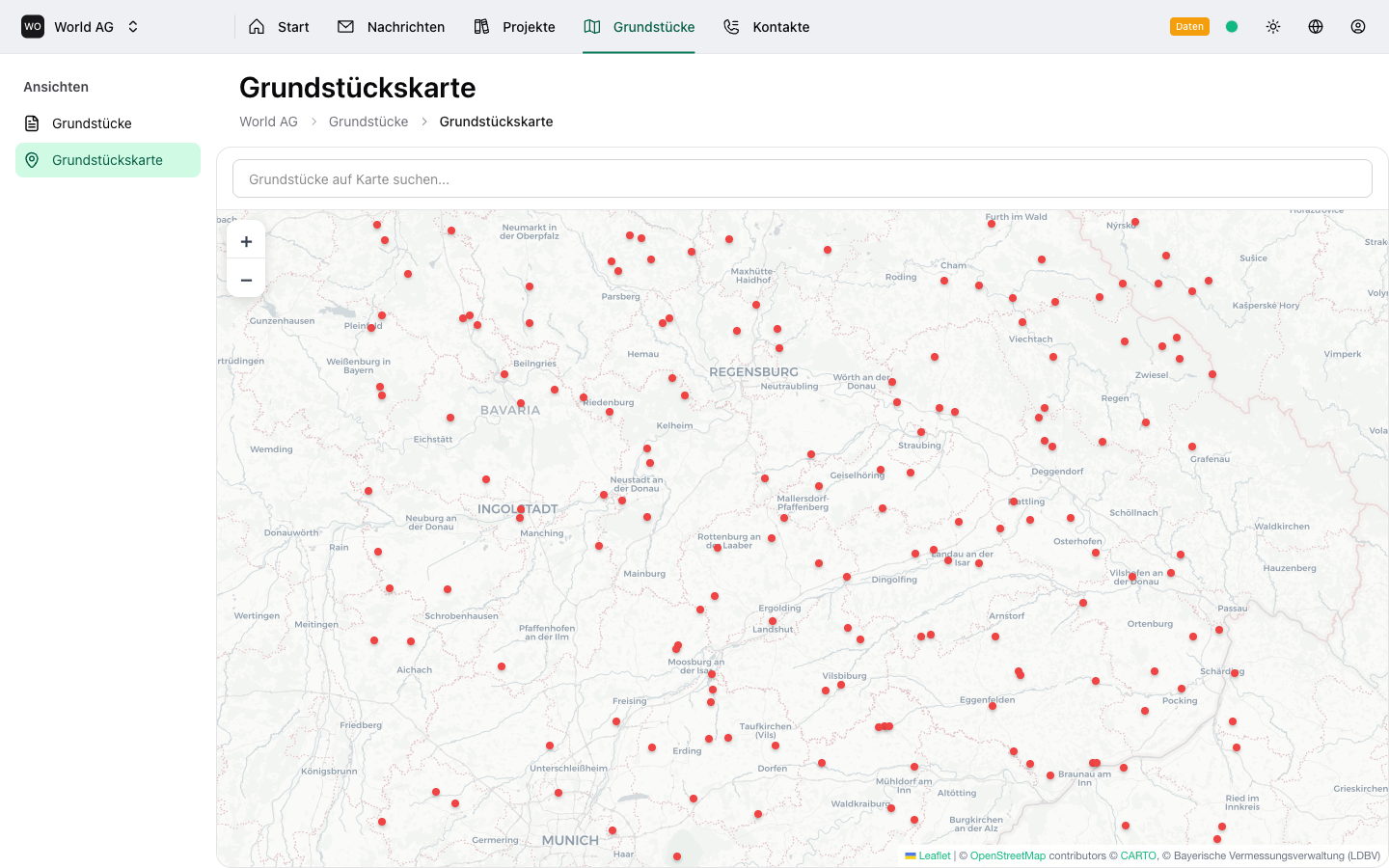
Locations
Every project on the map. With address, cadastral data, and neighboring sites.
Team
All teammates, all emails, all data — in one place.
Sound familiar?
The typical problems engineering firms face every day.
The Spreadsheet Nightmare
Your project list has 200 rows. Three people edit it. Nobody knows which version is current. You lose 30 minutes every morning just getting oriented.
The Lost Email
A client calls about their inquiry from March. You dig through 500 emails. It's buried under newsletters and forwarded PDFs. The client waits.
The Scattered Data
The address is in Excel. The photos in a folder called "Final_v3_NEW". The notes on a sticky note. The invoice status? You'll have to ask Sabine.
The Status Black Hole
Your boss asks: 'How many projects are in review right now?' You open the spreadsheet, scroll, count manually, and hope you didn't miss one.
The Dreaded Client Call
The phone rings. It's the building owner from Passau. Which project was that again? You search your inbox while making small talk.
What this really costs you
It's not just frustration. It's hours, money, and trust.
Hours Lost
Your team spends hours every week searching for information instead of doing engineering work.
Deadlines That Slip
When project status lives in spreadsheets, nothing reminds you. Deadlines pass quietly.
Client Trust Erodes
When a client calls and you can't find their project in seconds, professionalism suffers.
What if everything was connected — and AI did the heavy lifting?
One place for projects, emails, properties, and contacts. AI that writes your reports, routes your emails, and surfaces insights.
AI That Understands Engineering
Not just a database. TeamDT uses AI to automate the work you shouldn't be doing manually.
Generate documents with AI
From your project data, AI drafts reports, proposals, and assessments — ready for you to refine.
ChatGPT Integration
Ask ChatGPT about your projects. 'What's the status of the München project?' Get instant answers from your data.
Smart Email Routing
Incoming emails are automatically linked to the right project. AI reads the content and routes it — no manual sorting.
AI Project Insights
AI spots patterns in your projects. Which deadlines are at risk? Where are bottlenecks? Get insights before problems arise.
Every Piece of Information is Connected
No more searching. No more copying. Everything in one place.
With Every Email
No more digging through your inbox. You instantly see the associated project and property.
With Every Project
No more switching between tools. You see the linked property, all emails, files, and the change history.
With Every Property
No more manual cross-referencing. You see all projects and nearby properties with the same postal code.
How TeamDT brings order to your office
All the tools you need. In one software.
No more Monday morning confusion
KPIs at a glance. Pipeline status. Email analytics. Recent activity.
No more lost client inquiries
Gmail directly in TeamDT. Link emails to projects. Up to 100 accounts.
No more counting rows in Excel
6 status columns from request to invoice. Drag & drop. Week view.
No more scattered property data
All properties on the map. Cadastral data. Geocoding. Nearby properties.
No more "Who was that again?"
People, companies, families. Understand relationships. Assign roles.
No more scrolling through 500 rows
Full-text search, status filter, sorting. Group by status or case worker.
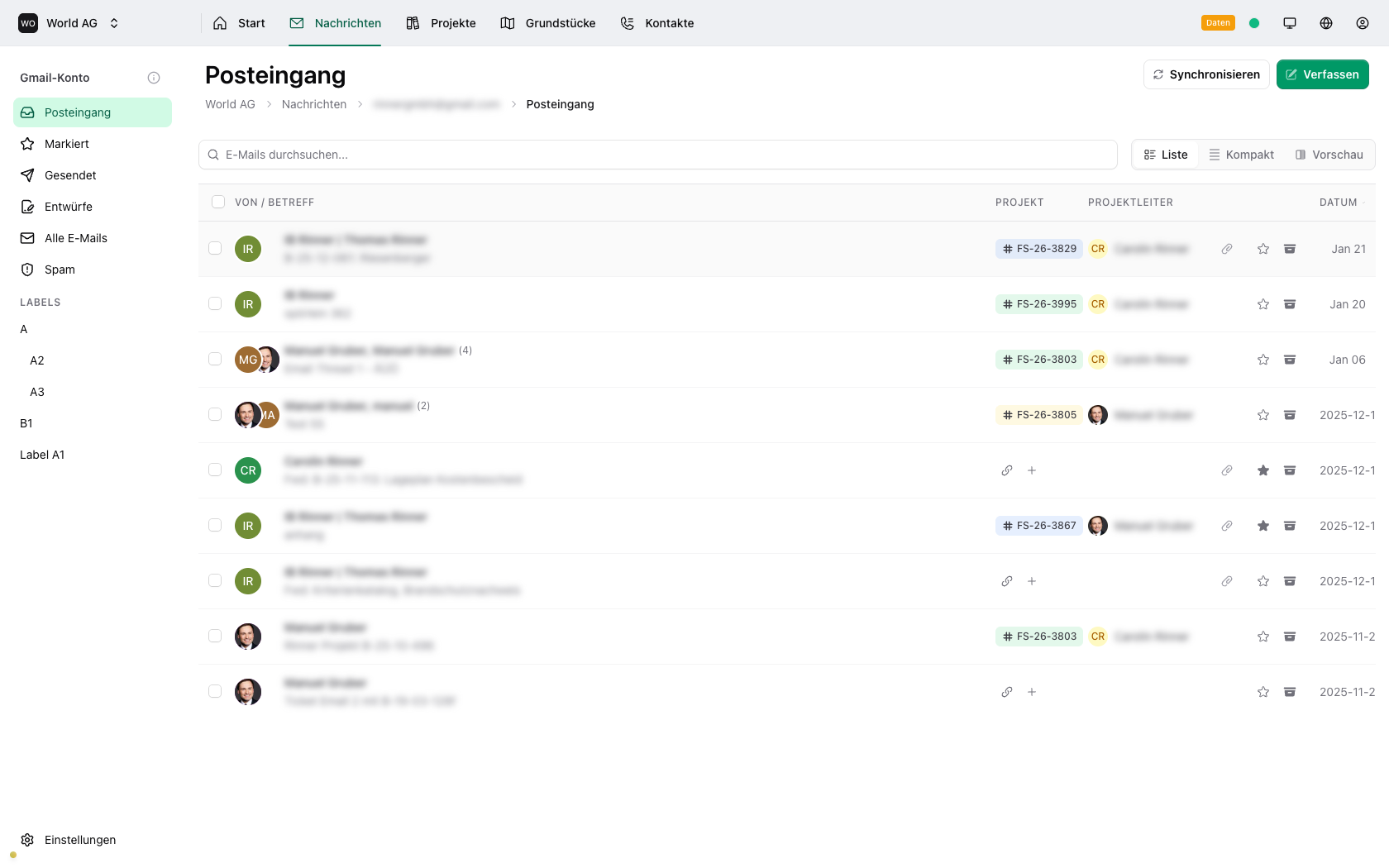
Remember that lost inquiry from March? Never again.
No Lost InquiriesEmails Become Part of Your Projects
Gmail directly in TeamDT. Link emails with one click. With every email, you instantly see the associated project.
- Receive, send, manage without opening Gmail
- Link with one click: Email → Project
- See context instantly: View project and property with every email
- Up to 100 email accounts per organization, with custom signatures
- Link case workers: Assign every email to the responsible team member
One click. Everything about any project. No more searching.
Everything at HandEvery Project Shows You Everything
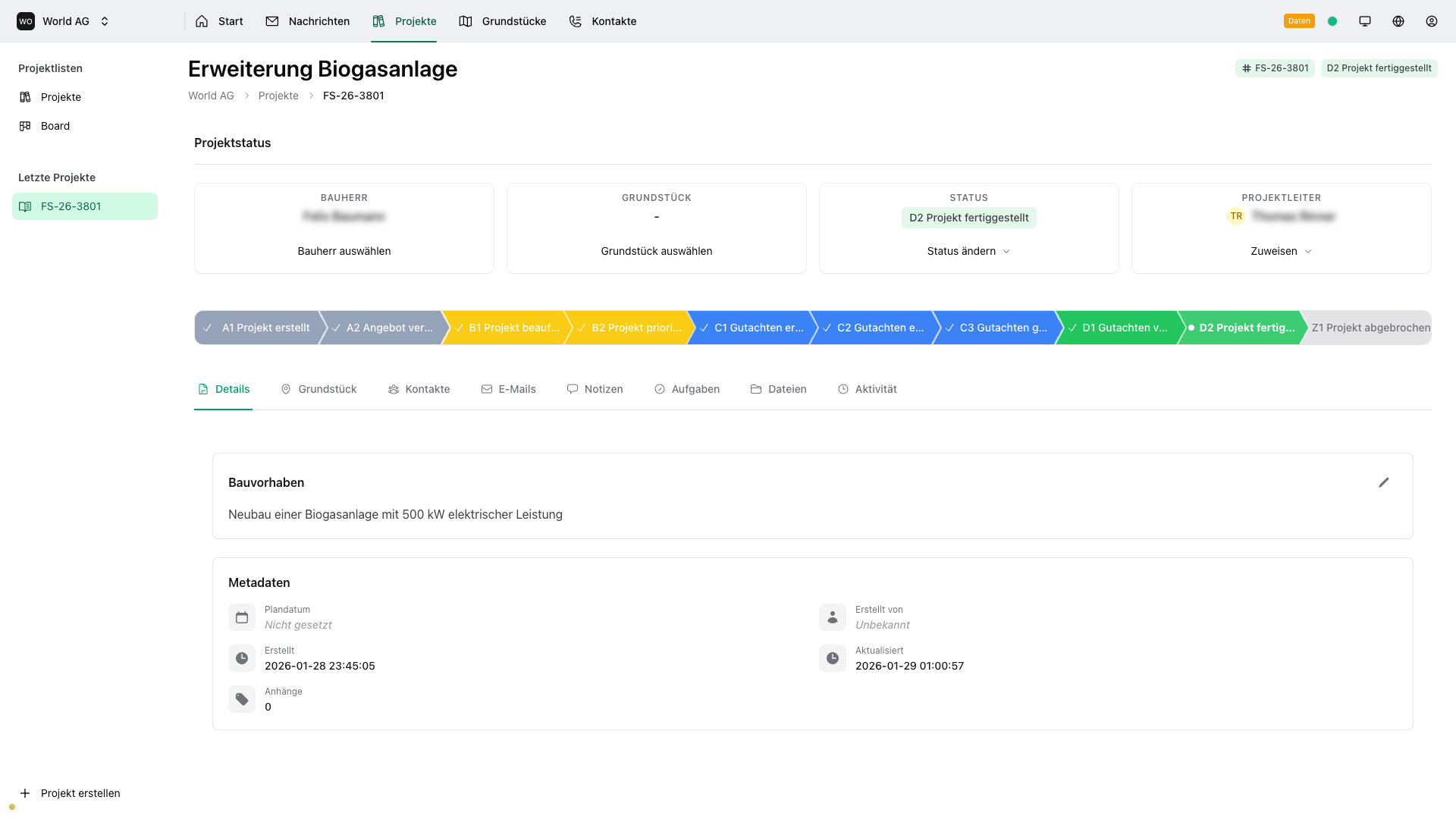
Property, emails, contacts with roles, files, notes, change history. All in one place.
- Status updates with history: Who changed what, when?
- Linked property: Address and map directly visible
- All project emails: Communication history in a timeline
- Files and attachments: Stored directly with the project
- Tasks and notes: Organized for team collaboration
- Participants with roles: Draft author, building owner, client, intermediary clearly assigned
- Linked contacts & companies: All participants directly visible in the project
Every property, every project, every connection. On a map.
Everything About the PropertyEvery Property in Context
Address, cadastral data, linked projects, and all nearby properties. Everything at a glance.
- Address with geocoding: Automatically positioned on the map
- All linked projects: Which assessments were created here?
- Nearby properties: Show all properties with the same postal code
- Cadastral data: German cadastral districts and parcels (ALKIS)
- Address & cadastral linking: Automatically connect projects via address or cadastral data
Your Project Workflow in 7 Steps
Every project follows a clear process, with drag & drop on the Kanban board.
"Engineering firms deserve better tools. Spreadsheets aren't project management. We're building AI-powered software that lets engineers focus on engineering."
Want product updates? Sign up for our newsletter.
Specialization
Working in fire protection?
TeamDT has a dedicated solution for fire protection assessments, inspections, and concepts — with all the industry-specific features.
Done with Excel chaos?
Join the waitlist and be among the first to use TeamDT.